



Link shorteners are incredibly useful tools. They can turn long, messy URLs into clean and compact ones. While also offering valuable analytics like click tracking, traffic sources, and engagement insights. Many even include extra features such as QR code generation.
However, despite how simple they seem to use, many users make common mistakes that reduce the effectiveness of their shortened links, or worse, cause them to lose potential visitors.
In this article, we’ll walk you through the most frequent link-shortening mistakes and how to fix them.
1. Using Unknown or Untrusted Link Shortening Platforms
There are dozens of link-shortening platforms available online, but not all of them are reliable.
Using unknown or suspicious platforms can easily damage your credibility. Some social networks automatically block or flag shortened links from untrusted sources as spam or phishing attempts. Others might force users through unnecessary CAPTCHA checks or security warnings.
These barriers frustrate users and discourage them from clicking your links. Imagine losing valuable traffic or potential customers simply because the platform you chose was unreliable.
Always use trusted, reputable services that guarantee clean and safe links.
For example, Twigs Platform provides secure, spam-free URLs that work seamlessly across all major social networks without being blocked or flagged.
2. Not Customizing the Shortened URL
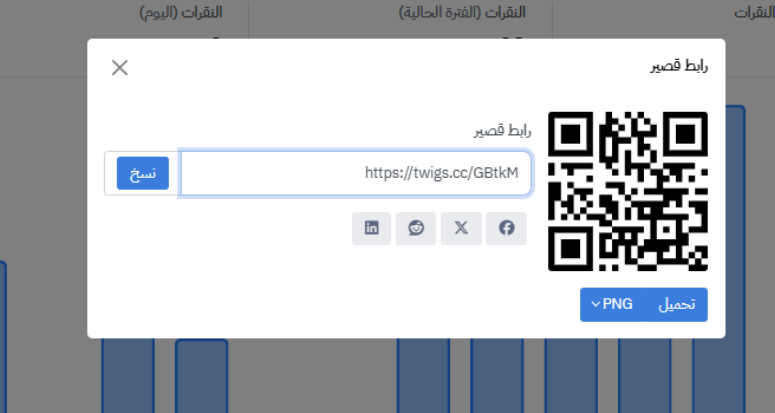
When you shorten a link, most platforms automatically generate a random string at the end of the URL, for example: twigs.cc/sdfe86
At first glance, that looks suspicious or meaningless. It tells users nothing about where the link leads or what content to expect.
Now compare that to a custom, descriptive version like: twigs.cc/twigs-alternatives-platforms
See the difference? Just by reading it, users can guess the topic, in this case, “Twigs alternatives.”
Customizing your URL slug helps build trust and clarity. It signals that your content is legitimate and relevant, increasing the chances of users clicking on it.
In short, never leave your links with the default random slug, always rename them to match your content.
3. Ignoring Click and Traffic Analytics
What’s the point of using a link shortener with detailed analytics if you never check them?
Top marketers invest significant time and money into analyzing link performance. They study user behavior, identify high-performing channels, run A/B tests, and adapt strategies accordingly.
The good news? You already have access to similar analytics for free on platforms like Twigs or (to a lesser extent) Bitly.
While Bitly offers limited free insights, Twigs provides full, in-depth analytics for every shortened link, including click counts, referrers, and user engagement metrics.
Make it a habit to review your link reports regularly. Learn from your past campaigns, spot weaknesses, and adjust your strategy based on real data.
4. Ignoring Link Security and Trustworthiness
Every link should meet essential security standards,such as SSL encryption (the https:// at the start of a URL) and a trusted domain.
Sharing insecure or unverified shortened links can harm your reputation and cause social media platforms to block your posts. Once users lose trust in your links, they may stop engaging altogether.
The solution is simple: use only verified, secure link shorteners that comply with SSL and privacy standards. This ensures both your credibility and your audience’s safety.
5. Overlooking User Experience Across Devices and Apps
When a user clicks your shortened link, several things might happen:
They could open it on a web browser.
They might click from a mobile device or a desktop.
The link might lead directly to an app, or to an app store if the app isn’t installed.
A user from another country or language might open it.
Or, in some cases, the destination page may not even be supported in their region.
There are many scenarios that could happen at the moment the user clicks on a link, and not all link shorteners handle them properly.
That’s why platforms like Twigs offer an advanced feature called Deep Linking. It automatically detects user context and redirects them to the most relevant experience:
If a user clicks a product link from Aliexpress ( for example ), the app opens directly instead of the website.
If a foreign visitor clicks a link to an Arabic page, they’re redirected to the English version (if available).
This feature dramatically improves UX (User Experience) by ensuring that every visitor lands exactly where they should without friction or confusion.
Conclusion
Link shorteners are powerful gateways that can significantly boost your marketing efforts if used correctly. To get the most out of them, treat link shortening strategically:
choose trusted platforms, customize your URLs, analyze your performance, prioritize security, and optimize for all devices and users.
If you use link shorteners frequently, consider this article your checklist to ensure every link you share performs at its best, and never loses clicks again.


